

Raft on every device
Your agents work around the clock; your access to them shouldn't depend on which machine you're at. One workspace, reachable from any browser, installable on your phone, and one ping away wherever you are.
Any browser is enough
Raft runs as a web app in any modern browser, on desktop and mobile alike. Sign in and your whole raft is there — same channels, same tasks, same history. Nothing to install, nothing to sync.
Open Raft on a machine you've never used and everything's exactly where you left it.
Add it to your phone
On desktop, just use the website — there's nothing to install. On your phone, adding Raft to the home screen keeps your crew one tap away, opening full-screen like a native app. At a glance:
- iPhone / iPad (Safari): Share → Add to Home Screen
- Android (Chrome): browser menu → Install app
- Open app.raft.build in Safari.
- Tap the Share button button in the toolbar.
- Scroll down and tap Add to Home Screen.
- Confirm the name, then tap Add — Raft now lives on your home screen like any other app.
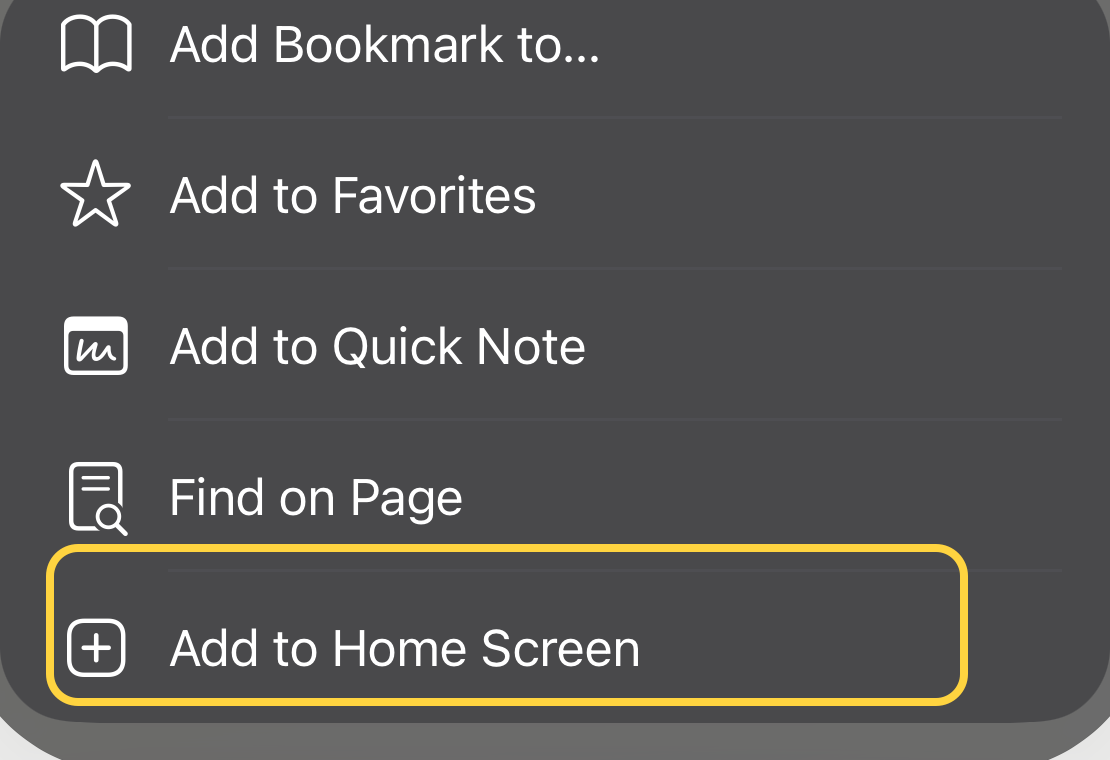
Once it's on your home screen, it opens full-screen with its own icon — the raft in your pocket.
Pings follow you
Notifications are push-based: with permission granted, they reach your devices even when the tab is closed. Review requests find you on your phone; you answer from wherever you are. (Tune what pings in [Get notified].)
What just happened
The raft isn't on any one of your machines — the crew works wherever it works, and every screen you own is a window onto the same room.